Knowledge Article
Policies
Author
menno_pieters
SailPoint
- How do policies work?
- Types of Policies
- Shared Options
- Notifications, Reminders, Escalation
- Role SOD Policy
- Entitlement SOD Policy
- Activity Policy
- Account Policy
- Risk Policy
- Advanced Policy
- PolicyViolation XML
- Testing Policies
- Resolution of a Violation
- Further Reading
Policies check identities for certain conditions that are unwanted of even considered dangerous. Such a condition can be a set of roles that should not be combined in a single identity (e.g. “payment preparation” and “payment approval”), two conflicting values of a multi-valued attribute, or even cross-application combinations of permissions.
How do policies work?
Policies are evaluated per identity. The evaluation triggers during aggregation, identity cube refresh, a specialized task (a dedicated refresh task) or as part of the LCM access request process. Evaluation during aggregation or identity cube refresh is a so called detective way of finding violations. Evaluation during LCM access request is called a preventive way of finding violations as they finding violations in this stage may prevent assigning conflicting access rights.
Detective Policy Evaluation
For evaluation during aggregation, the option “Check active policies” must be selected.

This same check is available with two extra options for evaluation during the task “Refresh Identity Cube” or any derivative of “Identity Refresh”, including “Check Active Policies”.

The option “Keep previous violations” keeps all existing violations, even if they are found to be resolved or do not match any active policy. Leaving the "A comma separated list of policy names" option blank tells the refresh task to check all active policies in IdentityIQ. Otherwise, checking only occurs for those policies listed, if active.
Using the selection options at the top, the number of identities to be checked can be limited. These restrictions are especially useful for testing purposes or ad-hoc policy checks.
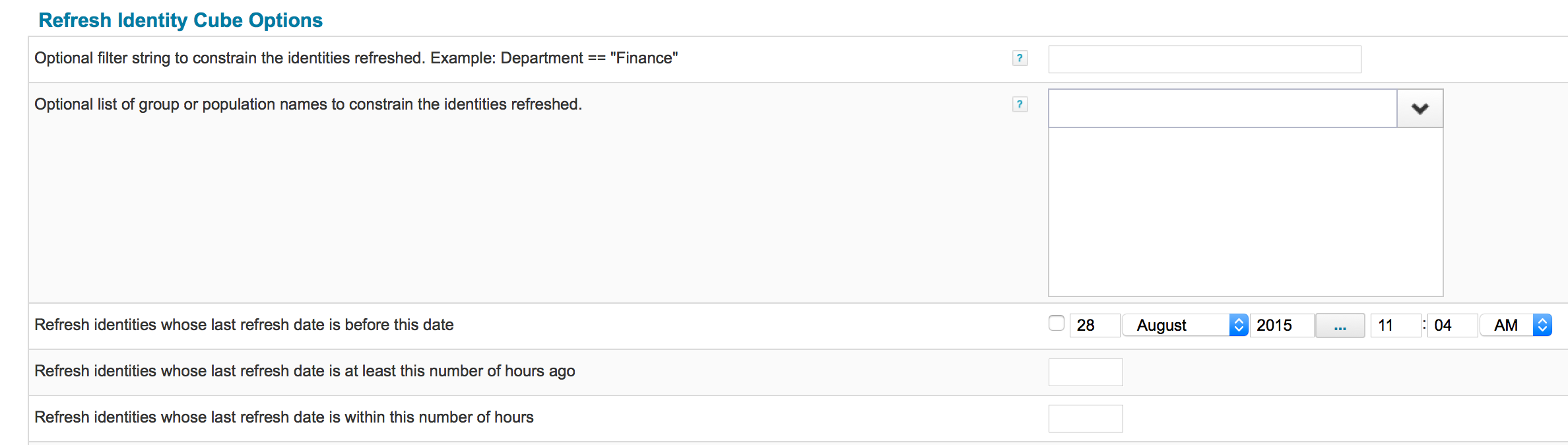
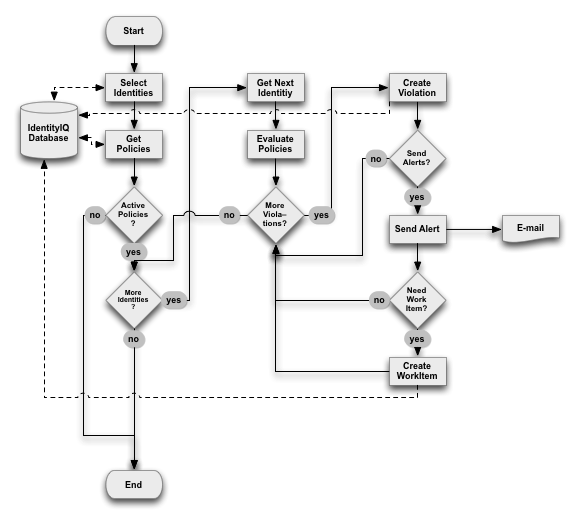
If a matching identity is found, a PolicyViolation object is generated and stored. Depending on the options selected, an email can be sent to the violation owner and a WorkItem object can be created to keep track of the remediation of the violation.
A graphical representation of the process is shown here:
Preventive Policy Evaluation
When the lifecycle manager module (LCM) is licensed and installed, IdentityIQ can check for policy violations as soon as the request is submitted. Out of the box business processes like LCM Provisioning (used for access requests) and LCM Create and Update (used for creating and editing identities) have options to control the policy checking during requests. LCM Provisioning for example has the following options:
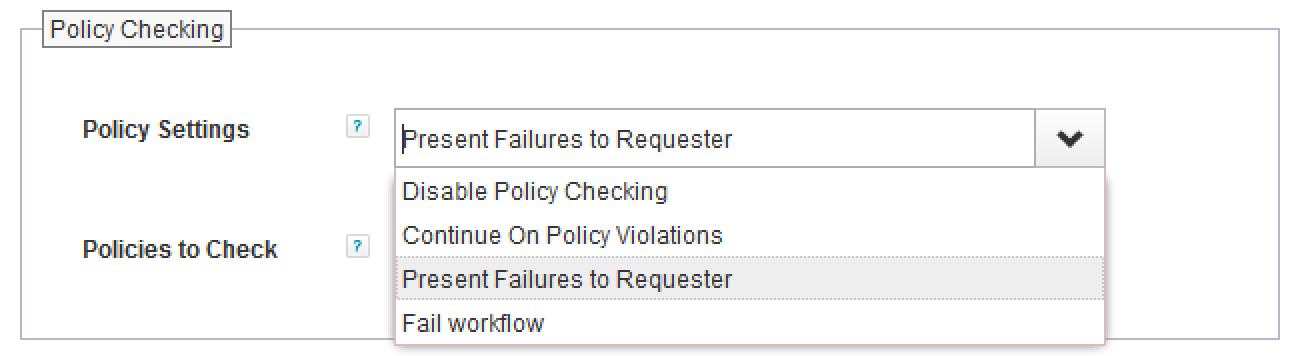
Disable Policy Checking | No policies are checked. Even if the request would result in a violation, it will not be detected. Approvers will not be presented with any violation details. |
Continue On Policy Violation | Policies (all or selected) are evaluated. If a violation is found any approver will see these violations and can choose to take action if necessary. 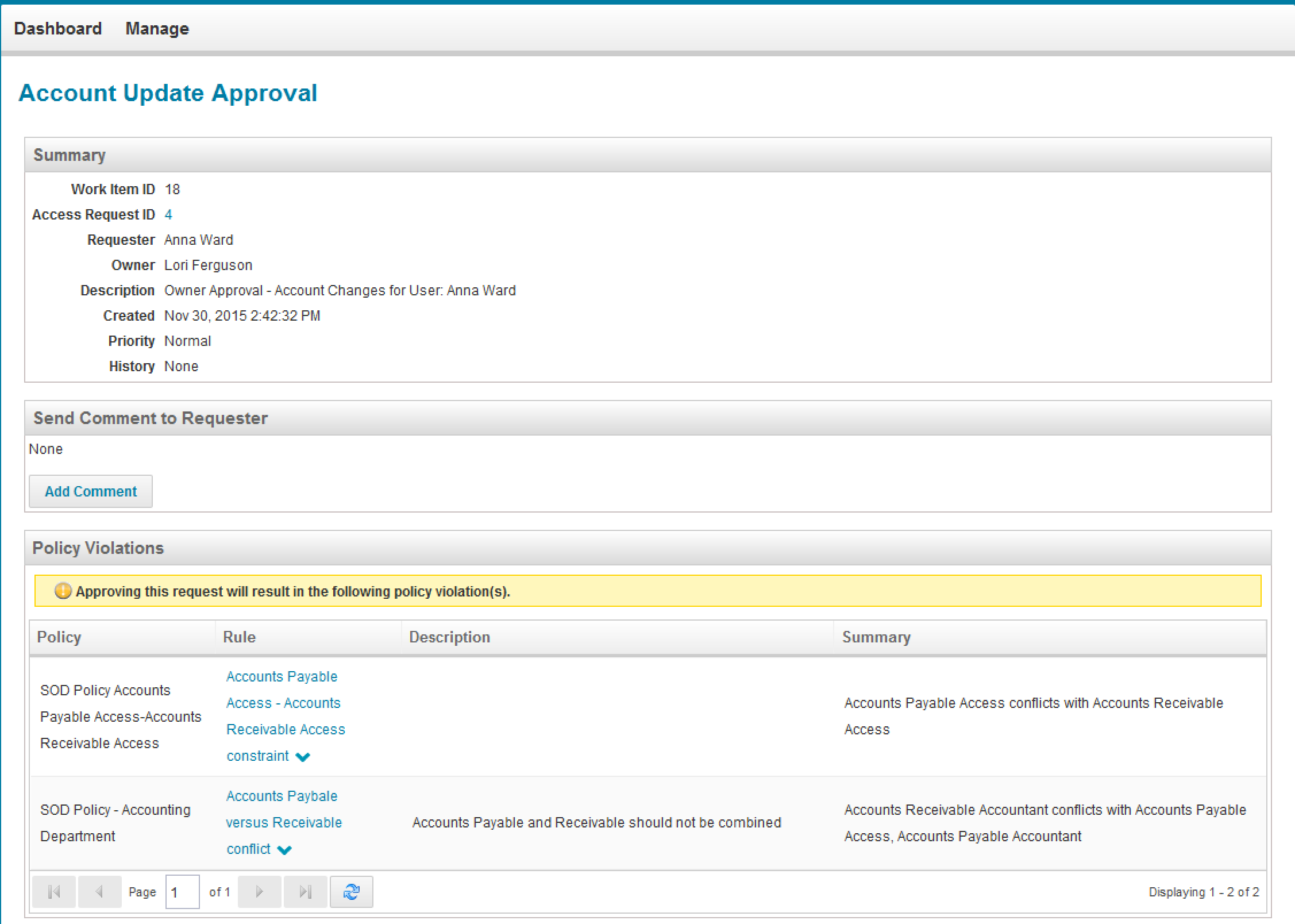 |
Present Failures to Requester | Policies (all or selected) are evaluated. If a violation is found it is presented to the requester. The process variables allowRequestsWithViolations and requireViolationReviewComments determine whether and how the requester can continue:
These options are only visible in the advanced view of the process variables. If the requester submits the request for approval with violations, any of the approvers will see these violations and can choose to take action if necessary. 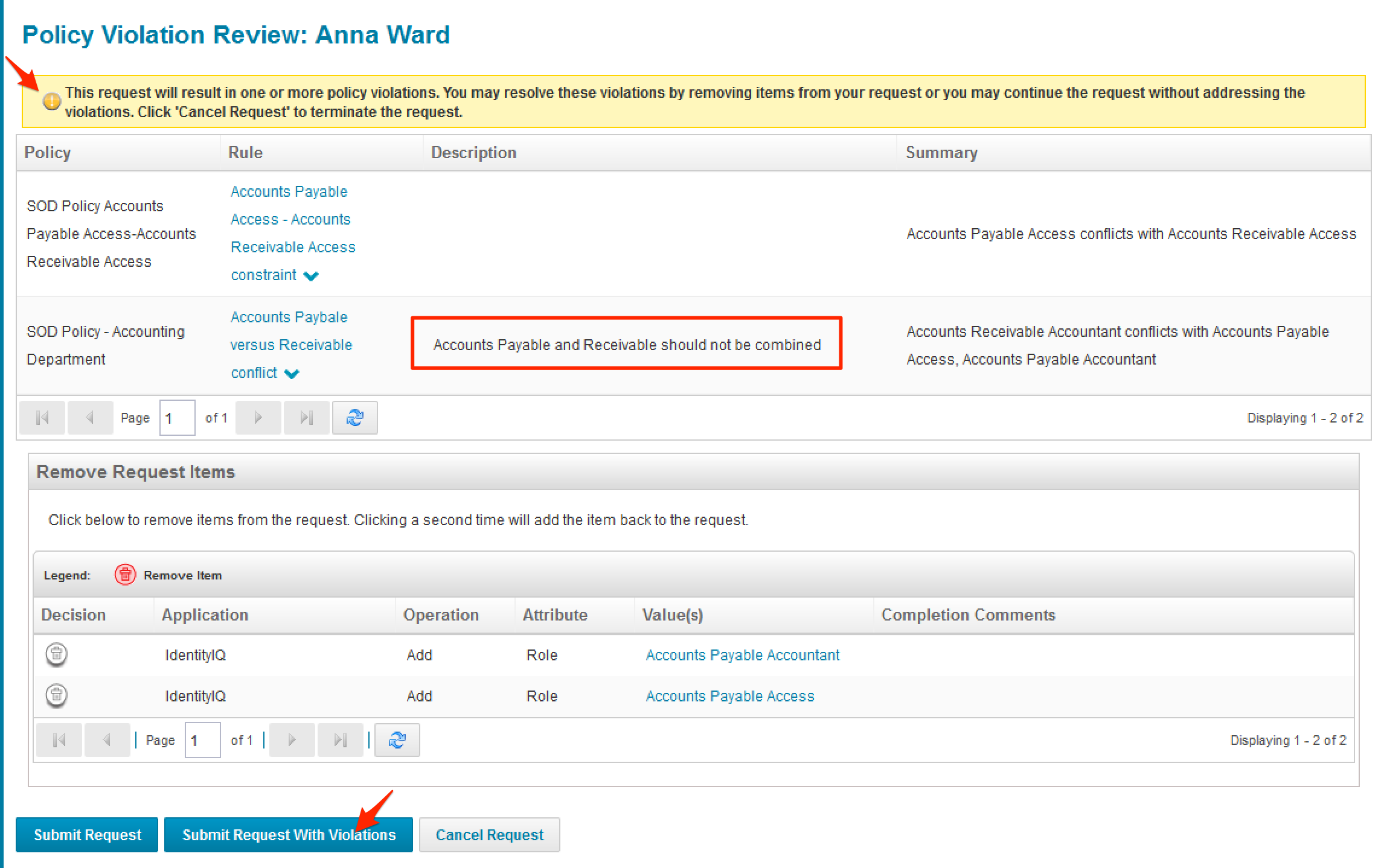 |
Fail Workflow | Policies (all or selected) are evaluated. If a violation is found, the request process is aborted and an error message is displayed.  |
The default is to present the failures to the requester and allow the requester to continue, without having to enter a comment.
Types of Policies
IdentityIQ has six types of policies, as listed in the table below. Each policy may contain several policy rules that make up the entire policy.
Role SOD Policy | This policy type checks for any conflicting roles that an identity could have. The policy rules define two lists (“left” and “right”), where any rule from the “left side” list cannot be combined with any rule from the “right side” list. For example the roles “Payment” and “Payment Approval” could be conflicting roles. The left side list would contain “Payment” while the right side list contains “Payment Approval”. The roles in either list can be of any role type (Business, IT, Organizational, etc.). |
Entitlement SOD Policy | This policy type checks for conflicting entitlements within an application or across applications. This is quite similar to the Role SOD Policy, but for values of application attributes marked as entitlement in the application schema. The policy rules are defined as two entitlement sets (“First Entitlement Set” and “Second Entitlement Set”). These sets are more advanced than the role sets of the Role SOD Policy type. The sets can use multiple levels of “and” and “or” expressions to combine entitlements within one set. |
Activity Policy | An activity policy scans activity data for specific events, with the option to select time frames, source and target applications, and more. |
Account Policy | Account policies only have a single policy rule: they simply check whether an identity has multiple accounts on an application. |
Risk Policy | Risk policies check for any identity with a composite risk score equal to or higher than the configured threshold. Like the account policy, this type of policy will only have a single policy rule. |
Advanced Policy | An advanced policy handles situation where the other types do not suffice. The advanced policy can contain multiple types of rules which allows for greater flexibility, as explained below. |
Shared Options
All policy types share a number of options and so do all policy rule types. Options set on a policy type can be overruled by the options for the policy rules.
Per Policy
The table below lists the common options for all policy types.
Name | The name of the policy. |
Owner | The object owner of the policy. |
Policy Violation Owner | The selected identity (or workgroup) becomes the owner of the policy violation. There are four possible values:
If no owner can be determined for the violation, and the policy owner is set the owner of the policy will be used as violation owner. |
Scope | The assigned scope for the policy. Only identities who control (authorized for) that scope can see/manage this policy. |
Description | A descriptive text for the policy. The text can be localized in multiple languages. |
Violation formatting rule | The violation formatting rule is used to make changes to policy violation objects. This can be used to enrich the information, or especially for advanced policies to add some more information about the violation (sailpoint.object.ViolationDetails). |
Violation business process | When a policy rule is violated a business process can be triggered to handle the violation. |
State | Select the state (Active or Inactive), indicating whether the policy should be evaluated or not during policy checks. |
Send Alerts | Check or clear this box to engage or disable alerts for violations. This opens a new section on the policy configuration page, as explained below ("Notifications, Reminders, Escalation"). |
Policy Violation Owner Rule
A policy violation owner rule must return the owner of the violation, which is the person or persons who should review and mediate the violation. The input provided to this rule consists of:
log | org.apache.commons.logging.impl.Log4JLogger | Apache commons logging object associated with the current context. |
context | sailpoint.api.SailPointContext | The standard context object available to any rule or script, which can be used to look up additional information. |
environment | java.util.Map | A map containing all arguments provided to the task (aggregation or refresh task) that performed the policy evaluation. |
policy | sailpoint.object.Policy | The policy that has triggered the violation. |
violation | sailpoint.object.PolicyViolation | The actual violation object. This object's getIdentity() function can be used to find the “violator”, the person who's access rights or attributes caused the policy to be triggered. |
The violation owner must be returned as a Identity object (see Rules in IdentityIQ)
Identity owner = context.getObjectByName(Identity.class, "Amanda Ross");return owner;
Violation Formatting Rule
A violation formatting rule adds extra information to a policy violation object, like an extra description, or the relevant applications that contain attributes that contributed to the violation. This can be especially relevant for advanced policies, for which IdentityIQ cannot always collect all information that may be relevant to the person who has to review the violation.
The input for this rule is as follows:
log | org.apache.commons.logging.impl.Log4JLogger | Apache commons logging object associated with the current context. |
context | sailpoint.api.SailPointContext | The standard context object available to any rule or script, which can be used to lookup additional information. |
identity | sailpoint.object.Identity | The identity whose attributes trigger the violation. |
policy | sailpoint.object.Policy | The policy that triggers the violation. |
constraint | sailpoint.object.BaseConstraint | The policy constraint that triggers the violation. |
violation | sailpoint.object.PolicyViolation | The actual violation object. This object's getIdentity() function can be used to find the “violator”, the person who's access rights or attributes trigger the policy. |
state | java.util.Map | A map created at the start of the policy check loop, which can be used to store and retrieve information throughout the process of policy checking. |
The violation formatting rule should return the modified violation object. See Rules in IdentityIQ for examples.
Per Rule
The table below lists the common options for all policy rules.
Summary | The short description of the policy. |
Description | A descriptive text for the policy. |
Policy Violation Owner | The selected identity (or workgroup) becomes the owner of the policy violation. Selects from four possible values:
|
Violation formatting rule | The violation formatting rule makes changes to policy violation objects. This can be used to enrich the information, or especially for advanced policies to add some more information on the violation. (sailpoint.object.ViolationDetails). |
Violation business process | When a policy rule is violated a business process can be triggered to handle the violation. |
Disabled | Select the state (tick to disable), indicating whether the policy rule should be evaluated or not during policy checks. |
Notifications, Reminders, Escalation
By default, no notifications are sent out when a violation is found. The violation is created as a policy violation object (sailpoint.object.PolicyViolation) and can be viewed by the violation owner(s) under the menu Manage → Policy Violations. Policy violations may also be included in certifications.
Enabling the policy option “Send Alerts” and selecting an email template causes notifications to be sent when violations occur.
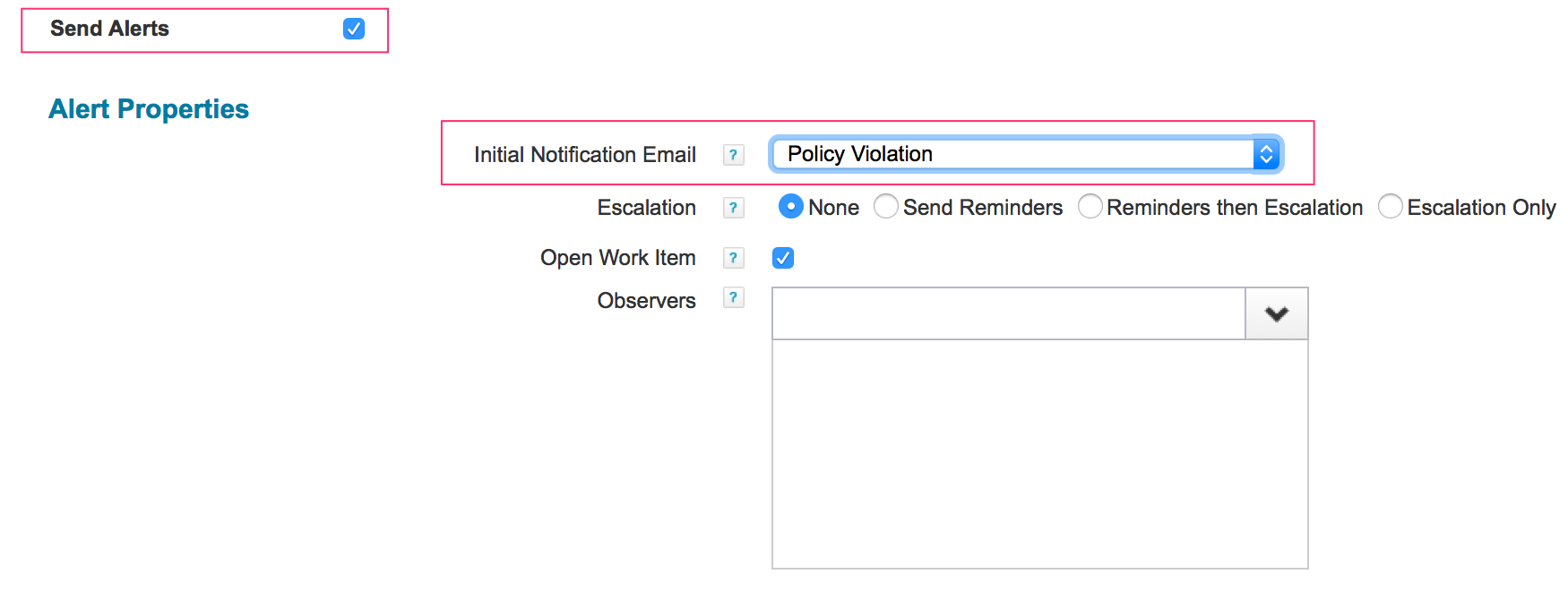
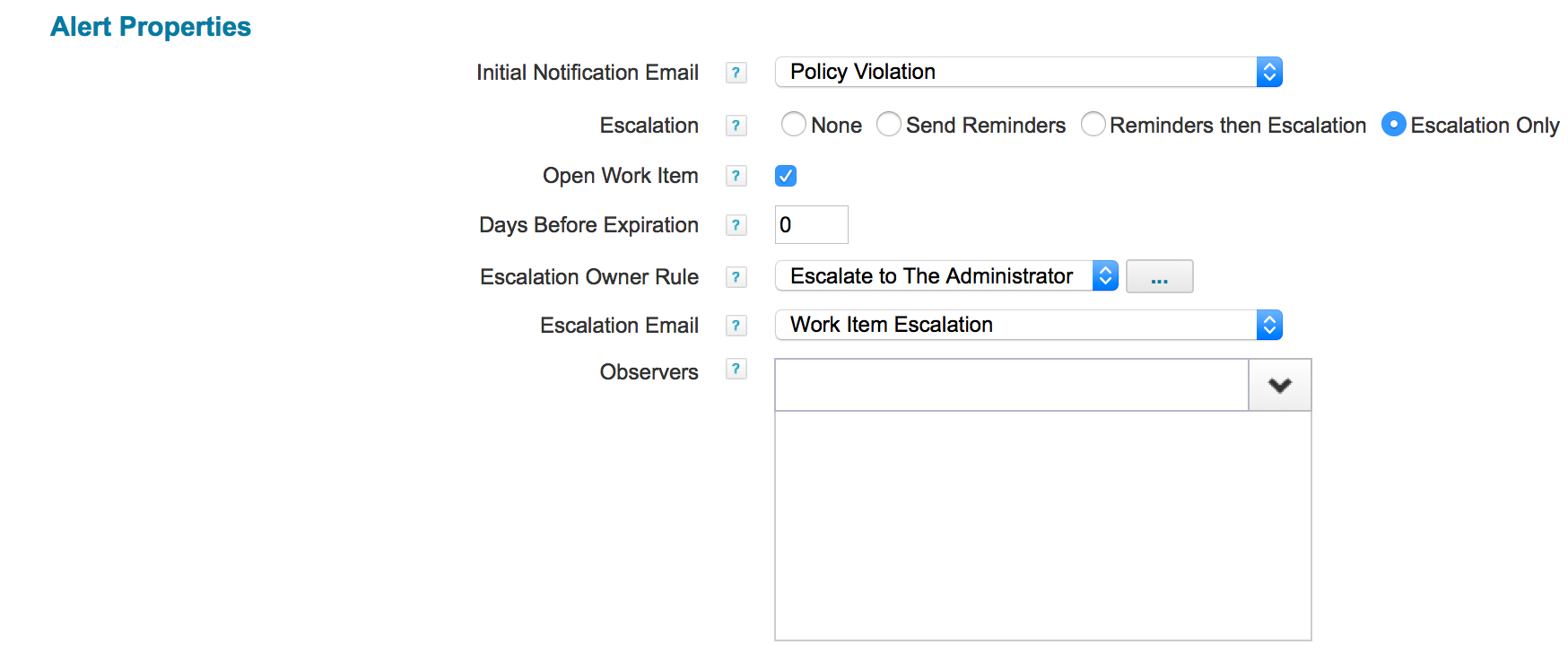
Creating work items allows IdentityIQ to track policy violations using reminders and escalations. Select "Open Work Item" to have IdentityIQ create a work item on discovery of a new violation. Further options then enable the setup of reminders and escalations:

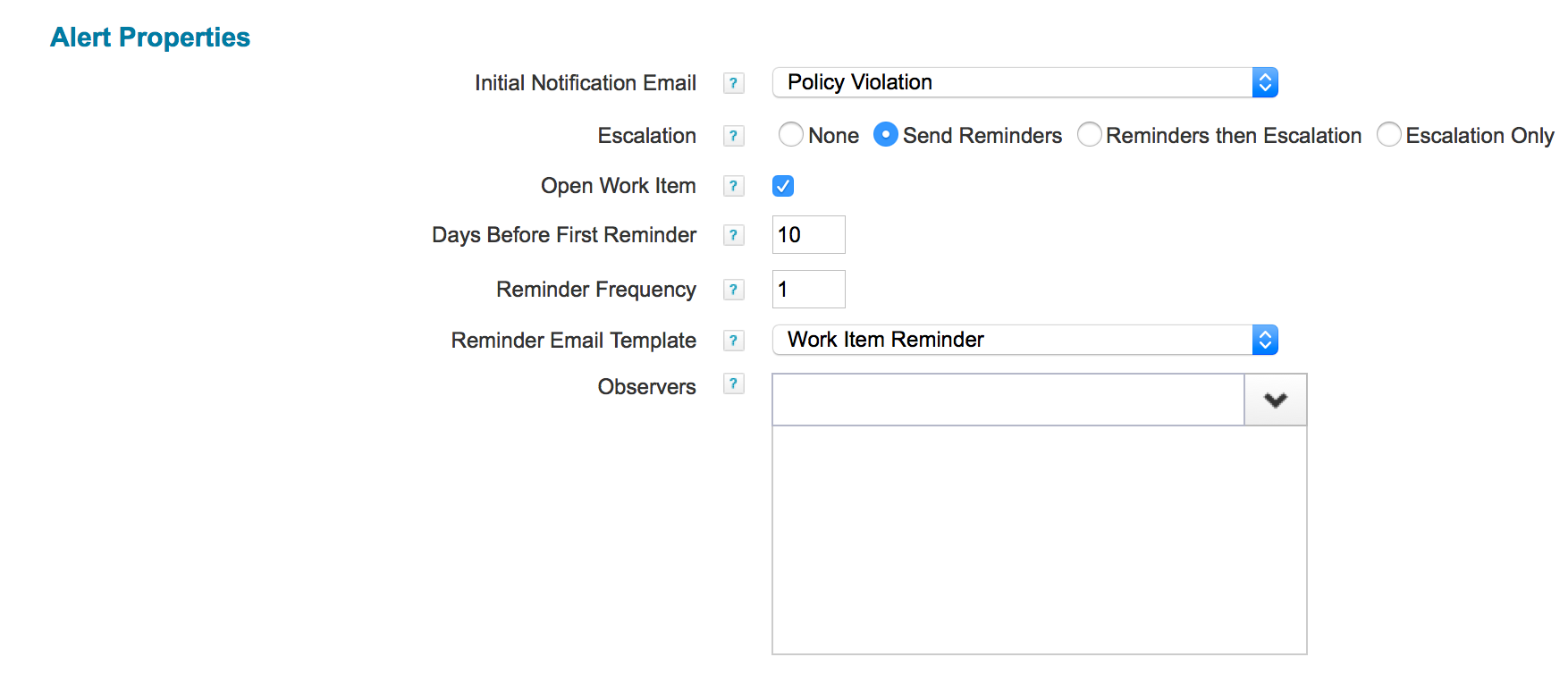
When Send Reminders is selected, the following options appear: the timing of the first reminder (in days), along with the frequency (1 for each day, 2 for once every two days, etc.), and the email template.
When Reminders then Escalation is selected, the options are extended to set the following: number of Reminders Before Escalation, an escalation rule to select the new owner of the policy violation, and the email template.
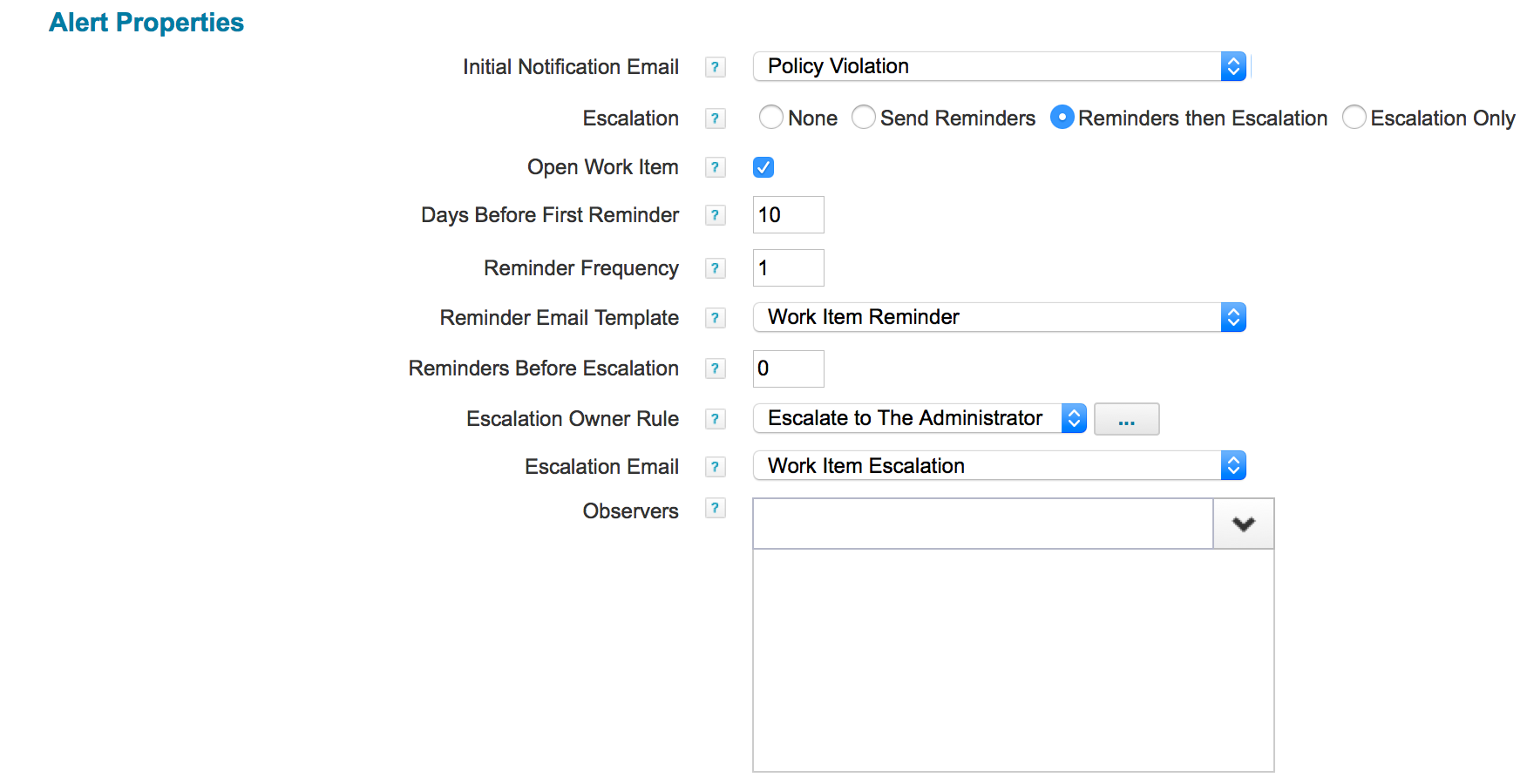
An escalation rule returns the name of an identity who receives the escalation and becomes the owner of the policy violation work item. A simple example chooses a static new owner by simply returning a name.
return "spadmin";
Here is a more complex example based on manager relations:
import sailpoint.object.Identity;Identity owner = item.getOwner();if (owner != null) { Identity manager = owner.getManager(); if (manager != null) { return manager.getName(); }}return "spadmin";
Selecting Escalation Only changes the field "Reminders Before Escalation" into "Days Before Expiration". Fill in the number of days after which, if no action has been taken, the work item escalates to the next owner.
Role SOD Policy
In a Role SOD policy, separation of duties is enforced by setting up conflicting lists of policies. Each policy rule (constraint) contains a left side and a right side list. Any role listed in the left side list is not allowed to be combined with any role listed in the right side list.

In the example above an employee with the role “PRISM Manager-IT” is not be allowed to also have “PRISM Super-IT”, or the other way round. If such a combination is found this policy rule triggers a violation.
The selectable roles include any kind of role: Entitlement, IT, Business, Organizational or user defined types.
Entitlement SOD Policy
In an Entitlement SOD policy, separation of duties is enforced by setting up conflicting lists of entitlements. There are two lists: "First Entitlement Set" and "Second Entitlement Set".
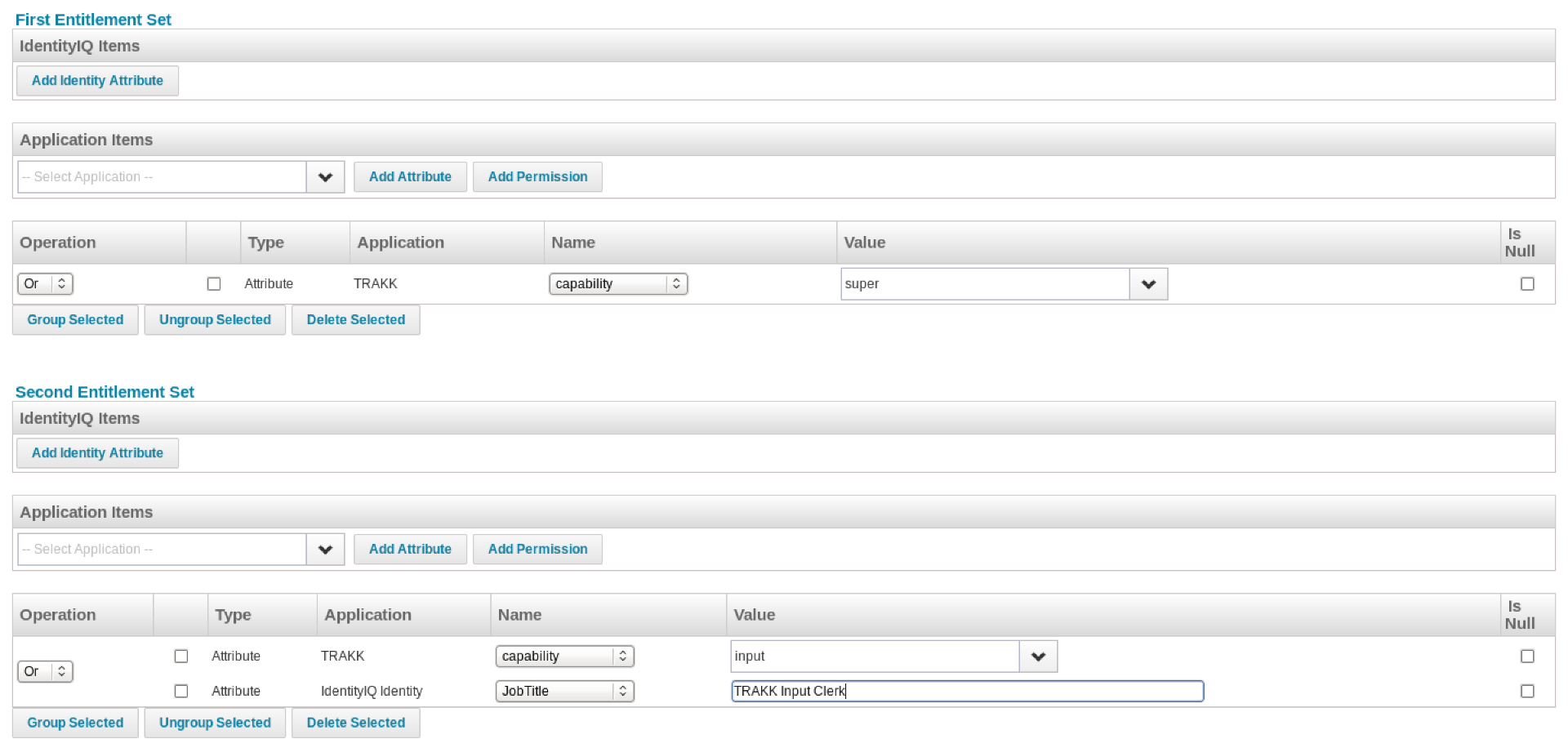
Each can be composed of combinations of identity attributes (up until IdentityIQ 6.4 as defined under System Setup > Identity Mappings, from 7.0 and up under 'Gear Icon' > Global Settings > Identity Mappings) or entitlement values of connected applications. Only attributes that have been marked as "entitlement" in the application schema are listed in the drop down boxes in the "Name" column for the selected application.
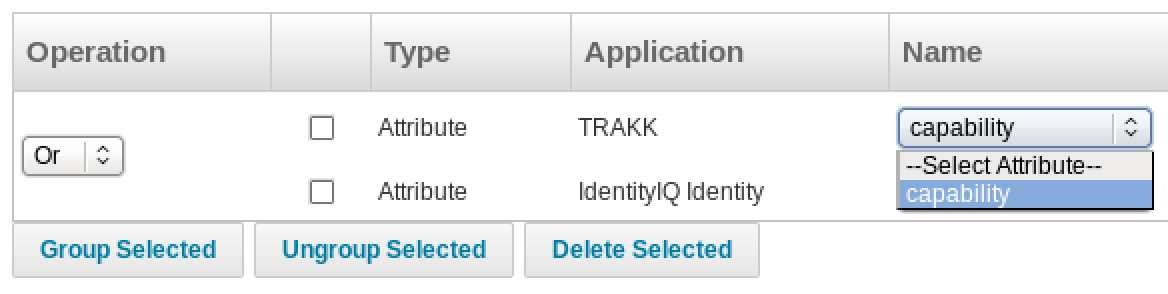
Each set in itself can contain complex expressions, which can be composed by grouping attributes and selecting either "Or" or "And" to combine the expressions:

If necessary, multiple levels can be created.
Expressions can check for attribute values being equal to the entered or selected value, or attribute values being empty (null). It is not possible to check for inequality. Testing for inequality requires an advanced policy.
Activity Policy
When Activity Data Sources are enabled on one or more applications this policy type can be used to check for any undesirable activities. Such activities include login, logout, creation or deletion of accounts. An activity rule can first select identities to check using a set of filters. Identities matching these criteria are now evaluated using the defined activity filters. Activity filters can filter on any combination of:
- Activity
- Category (of activities)
- Data Source
- Result
- Source Application
- Start
- End
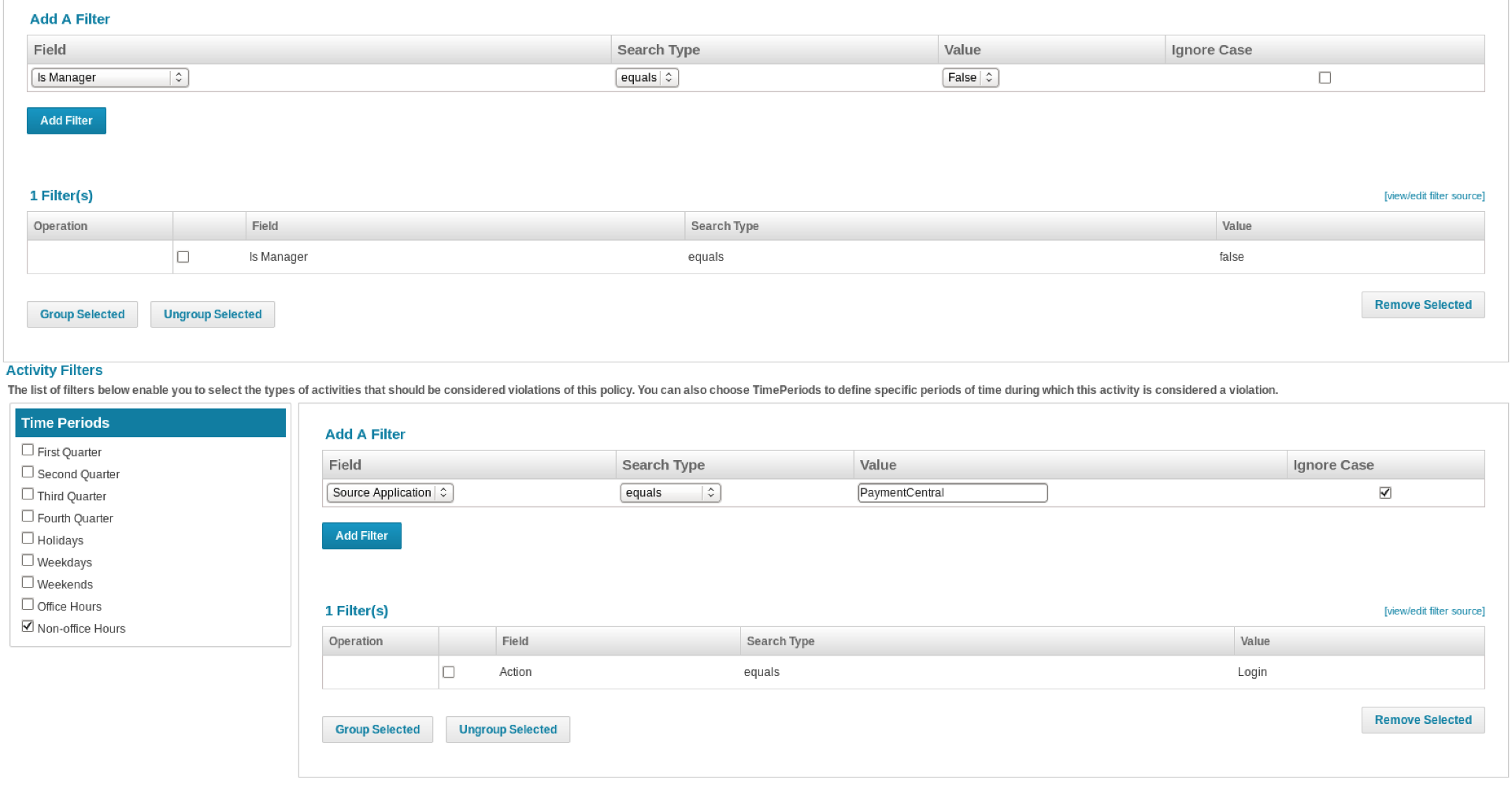
It is also possible to select one or more time periods to match. In the example below, the policy rule will check for any Identities with the following criteria:
- Identity is not a manager,
- Identity logs in to the application PaymentCentral during non-office hours
Account Policy
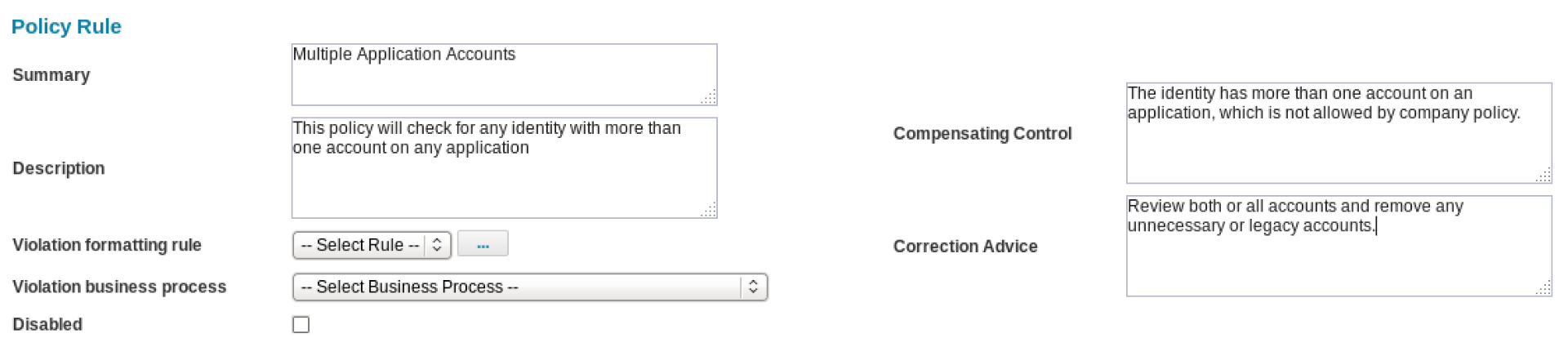
An account policy checks for identities with more than one account on any single application. This policy type does not trigger if an identity has multiple accounts on different applications. Unlike most other types of policies, there can be only one constraint: the built-in constraint to trigger on multiple accounts. Configurable options include text fields for a summary, description, compensation control and correction advice, as well as a violation formatting rule and a business process to be started on detection of a violation.
Risk Policy
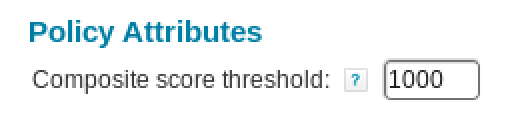
The risk policy type has even less options than the account policy type, leaving only one to be configured: the threshold. The composite score threshold can be set to any value from 0 to 1000. The default is set to 1000. Note that setting this value too low may result in too many violations, while setting it too high results in too few.
Advanced Policy
An advanced policy fits cases where the policy cannot be defined using any of the other types. For example, with the entitlement SOD policy it is only possible to check for combinations or entitlements a user has, but not for missing rights:
User has entitlement A in application X and entitlement B in application Y | Entitlement SOD |
User has entitlement A in application X but not entitlement B in application Y | Advanced Policy |
Another example is a policy rule that combines a role with an identity attribute, such as a department name from an application:
User has role A providing access in application X and is in department 123. | Advanced Policy |
In order to configure these advanced policy rules, IdentityIQ allows five ways to implement them:
- A match list,
- An XML based filter
- A script,
- A rule
- A pre-defined population
These are effectively IdentitySelector objects embedded in the policy definition. For more information on the implementation of advanced policies, see IdentitySelectors in the IdentityIQ User Interface.
PolicyViolation XML
An example PolicyViolation object, the result of an identity found to match the criteria in a policy rule, looks like:
<?xml version='1.0' encoding='UTF-8'?><!DOCTYPE PolicyViolation PUBLIC "sailpoint.dtd" "sailpoint.dtd"><PolicyViolation active="true" constraintId="40288143388f129a01388ff81b36006c" constraintName="LDAP Membership" created="1364900959716" id="4028481e3dc8f252013dca6fd5e40020" modified="1373522700587" policyId="40288143388f129a01388ff81b36006b" policyName="LDAP Advanced" status="Open"> <Attributes> <Map> <entry key="RelevantApplications"> <value> <List> <String>LDAP</String> </List> </value> </entry> </Map> </Attributes> <IdentityRef> <Reference class="sailpoint.object.Identity" id="402891813653f43a01366a1e1554005a" name="johndoe"/> </IdentityRef> <Owner> <Reference class="sailpoint.object.Identity" id="40289181311d7aca01311d7aec7d00b1" name="spadmin"/> </Owner></PolicyViolation>
A number of things can be noted in the header (<PolicyViolation ...>) of the XML:

- constraintId contains the id of the policy rule that has triggered,
- constraintName contains the name (may not be unique) of the policy rule that has triggered,
- policyId contains the id of the policy that has been violated,
- policyName contains the name of the policy that has been violated.
The policy contains information on how the policy violation must be handled. The information is contained in the head of the Policy object, in the attribute certificationActions. By looking up the policy by name or id, the head can be retrieved:
<Policy certificationActions="Mitigated" configPage="advancedPolicy.xhtml" created="1342445198134" executor="sailpoint.policy.GenericPolicyExecutor" id="40288143388f129a01388ff81b36006b" modified="1376168521298" name="LDAP Advanced" state="Active" type="Advanced" typeKey="policy_type_advanced" violationOwnerType="Identity">
The attribute certificationActions contains only the value "Mitigated" in this case. Multiple actions are allowed. Possible values are listed below. Not all actions apply to all types of violations. The last column shows the types of policies to which the action applies by default.
Acknowledged | Allow Violation, applicable only to an Activity violation. | Activity |
Delegated | Delegate: delegate the violation to someone else to make a decision. That person must have certification rights. | Account, Activity, Advanced, Entitlement SOD, Risk, Role SOD |
Mitigated | Allow Violation: allow the violation until a selected expiration date. | Account, Activity, Advanced, Entitlement SOD, Risk, Role SOD |
Remediated | Correct Violation: revoke one or more of the conflicting roles, permissions or accounts. | Entitlement SOD, Role SOD |
If no actions are specified in the certificationActions attribute, there will always be the option to certify the identity.
Note: Custom policy types, e.g. implemented using a plugin, are not included in this table.
Testing Policies
In IdentityIQ version 6.2 the option has been introduced to run a simulation of SoD policies (Roles and Entitlements). In 6.3 this feature has been extended for all policy types.
Testing a policy is performed using the button Run Simulation near the bottom of the policy or policy rule.

When this button is clicked, a confirmation dialog is presented. When the simulation is run, the policy will be disabled and will be run against all identities. The policy must manually be re-enabled once the simulation has completed.
Warning: make sure to save the policy before running a simulation!

If No is selected, no simulation is run. If Yes is selected, a notice is shown while the simulation runs in the background.
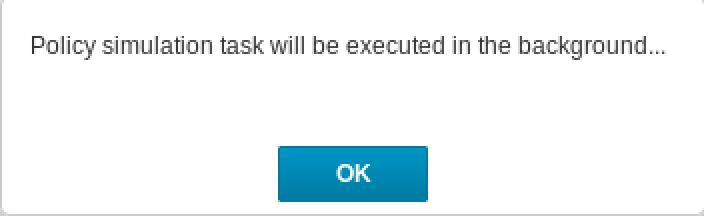
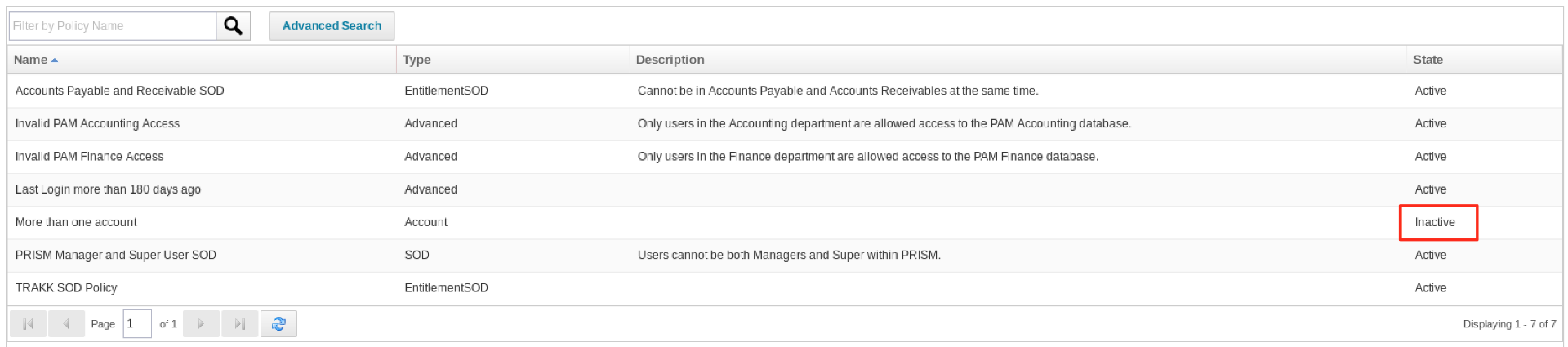
Once the OK button is clicked, the list of defined policies is shown again, where the policy being simulated is marked as disabled.
To view the results, open the policy again and click the button View Simulation (the button Run Simulation is replaced when the simulation is run).

A pop-up window is opened with the simulation results. If desired, the simulation can be run again from this window.
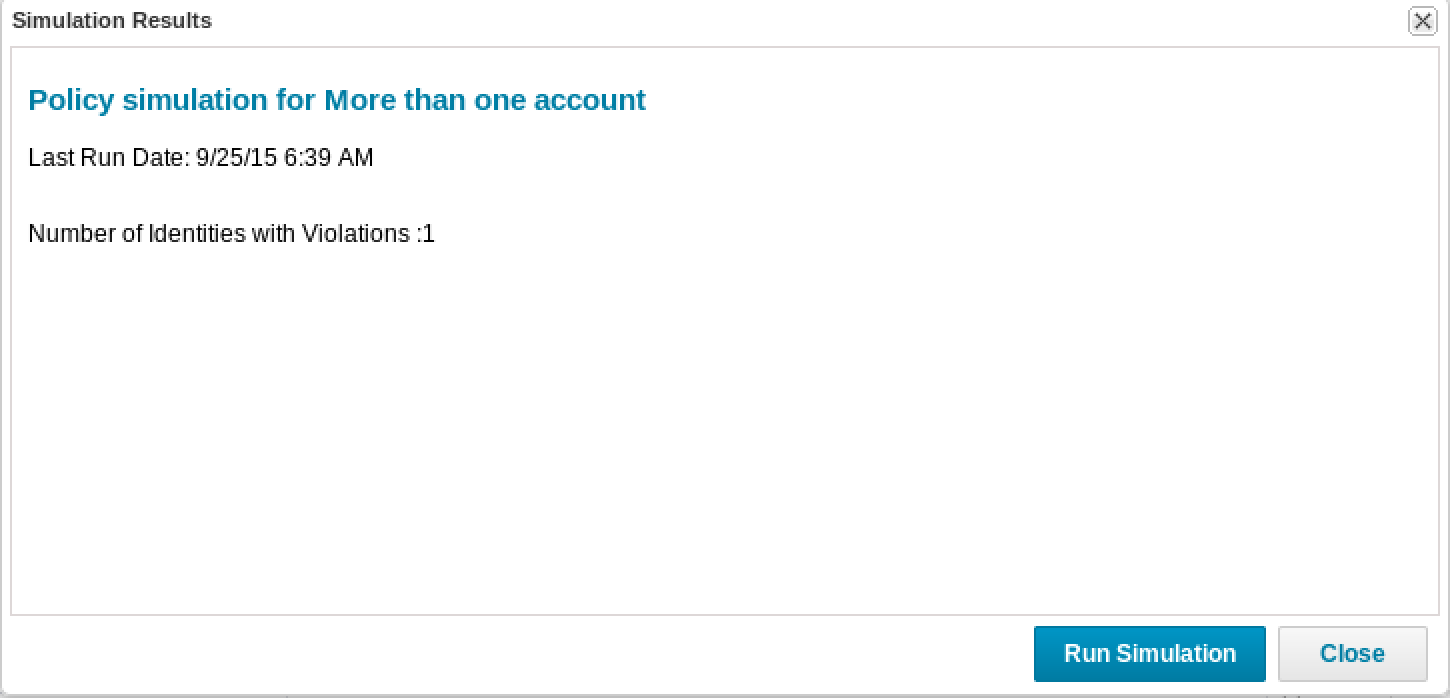
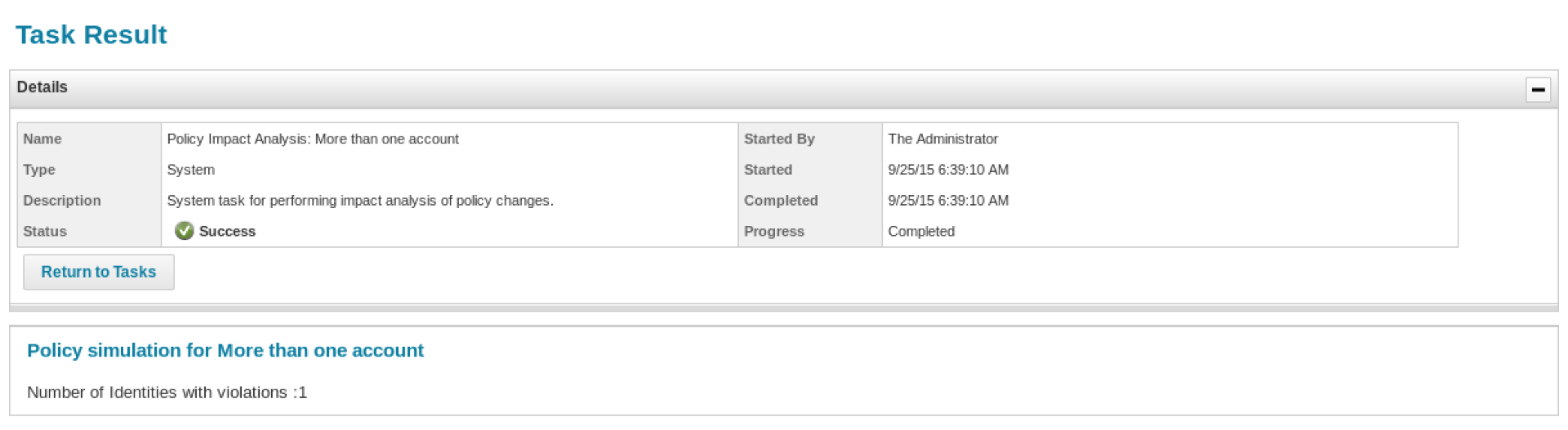
The results can also be viewed as a task result under Monitor > Tasks > Task Results.
Resolution of a Violation
Default Actions
<<List of active violations>>
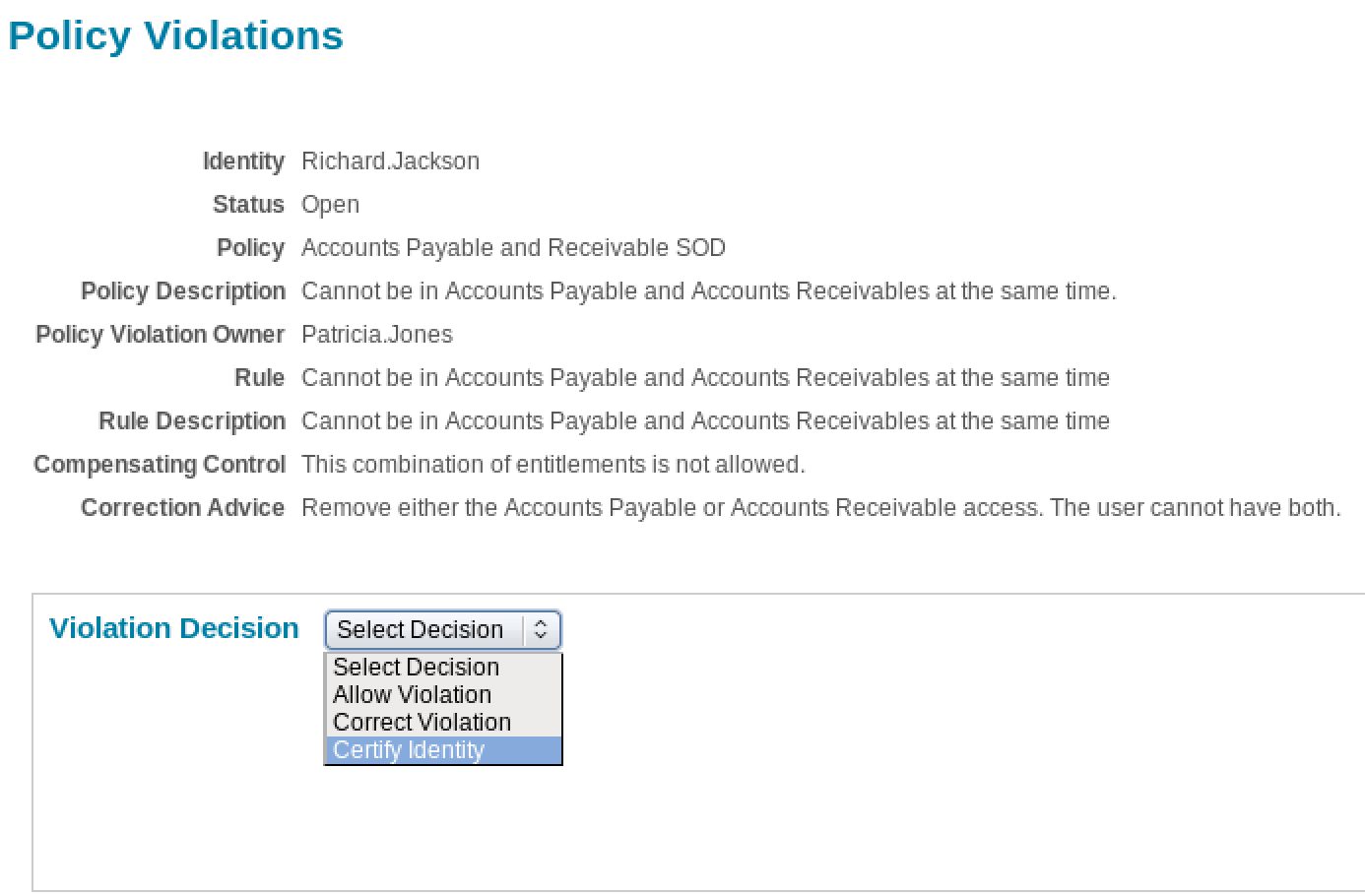
The possible actions to resolve a policy violation are:
- Acknowledge Violation
- Allow Violation
- Certify Identity
- Correct Violation
Acknowledge Violation
This type of resolution is only available for activity policies. The violation cannot actually be resolved, but marked as a known fact. I case of an activity policy violation, a past activity cannot be turned back. Choosing another violation option, like performing a certification, allowing the certifier to revoke certain rights, may prevent the violation from occurring again.
Allow Violation
When the option Allow Violation is selected, a couple of additional fields appear: an expiration date and a comment field. The expiration data allows the reviewer to allow the violation to continue until a specific date. Until that date, the violation will not be marked as a new violation again. A comment can be added to explain why the violation is allowed.
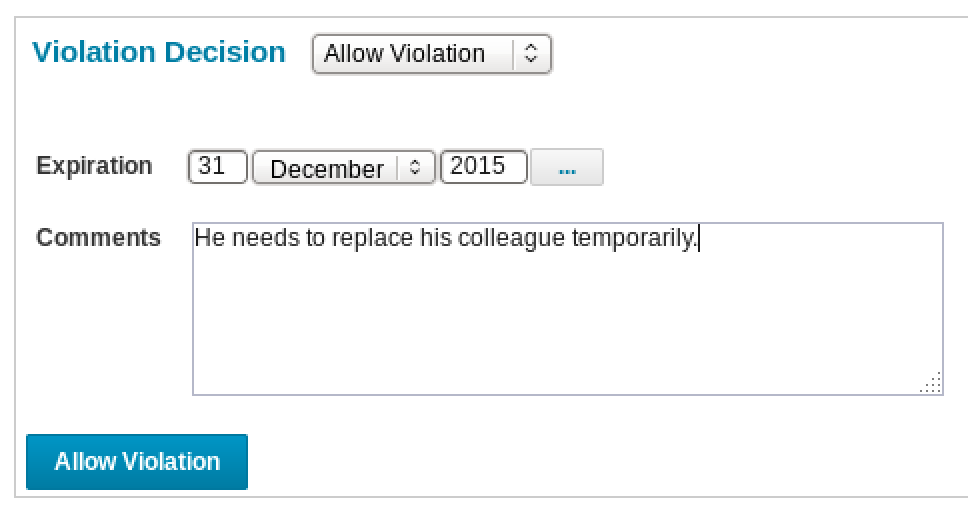
By clicking the Allow Violation button the decision is made.
Certify Identity
The option to start a certification of the identity is always present. When this option is selected, a new identity certification can be scheduled. This allows a reviewer to make more choices than to simply remove a single conflict. For a detailed description of how certifications can be performed, see the Administration Guide relevant for your current version, or the description below.
Upon scheduling the certification, the violation is not considered removed. Only when the violation is resolved by the certification and re-evaluated, the violation is removed.
Correct Violation
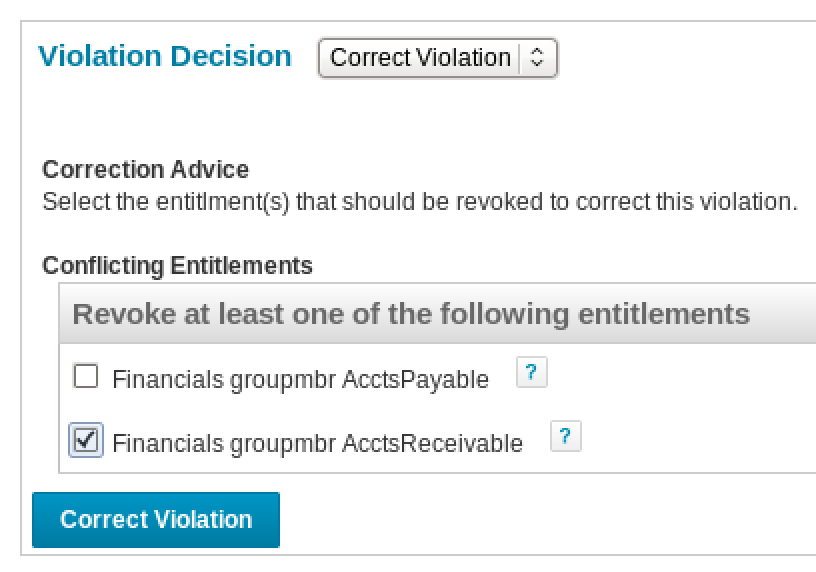
The screen presented for correcting a violation depends on the type of the violation. If the violation can be resolved by removing one of the conflicting sides (SOD: role or entitlement), the violation owner will be able to select either side and remove that from the identity.
If such a choice is not possible, the violation owner will be presented a screen to create a work item.
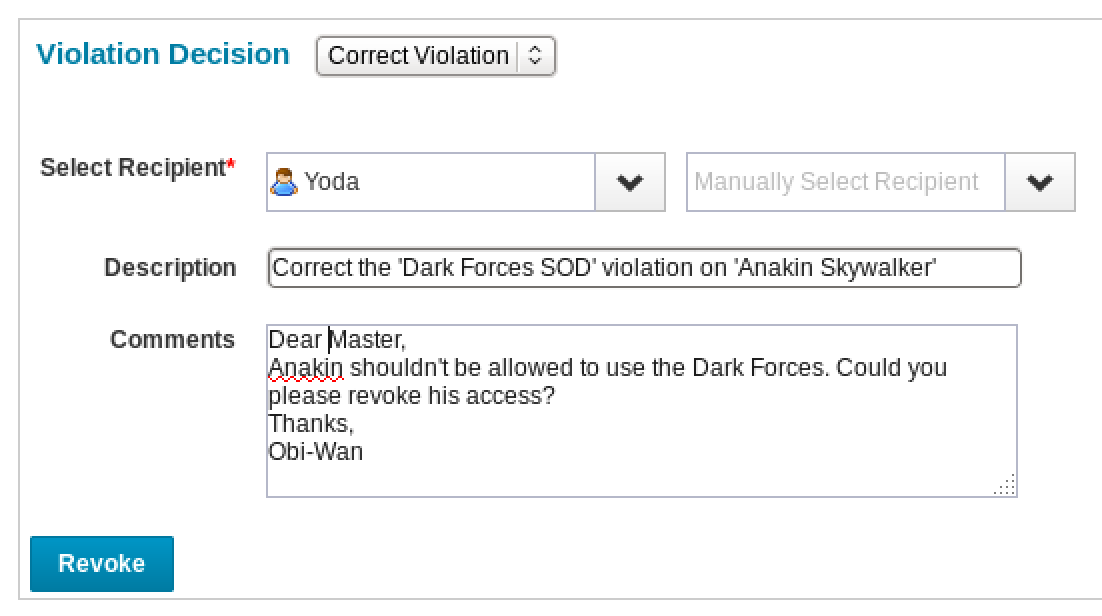
In this case, a recipient must be chosen, who can take the required actions. Since the system does not know what action is required, it cannot limit the search results. The current violation owner will have to select the right person based on knowledge of the organization. The violation owner can enter a message for the recipient of the work item and click Revoke to send to create the work item and send out a notification. The violation will not be closed until it is found to be resolved during a new policy evaluation.
NOTE: not all types of policies support this feature. For policy types that do not support this, the policy definition XML can be edited to allow this option for resolving the violation. It may seem to work, but in the end no work item is created.
Policy Violations in Certifications
In order to include policy violation in a certification, the option Include Policy Violations must be selected:
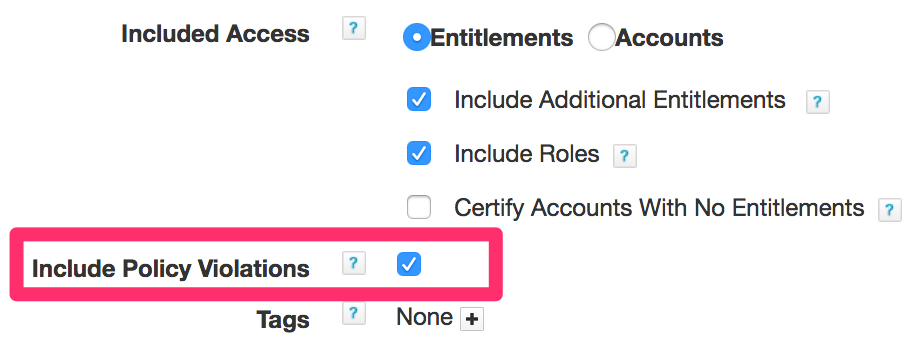
This applies to all identity certifications: Manager, Application Owner, Advanced and targeted certifications, e.g. started from a policy violation, Advanced Analytics or the Identity Risk Scores. It is possible to set up a certification with only policies by de-selecting Include Additional Entitlements and Include Roles as well as leaving Certify Accounts With No Entitlements (default) unticked. A certification (access review) may then look like this:
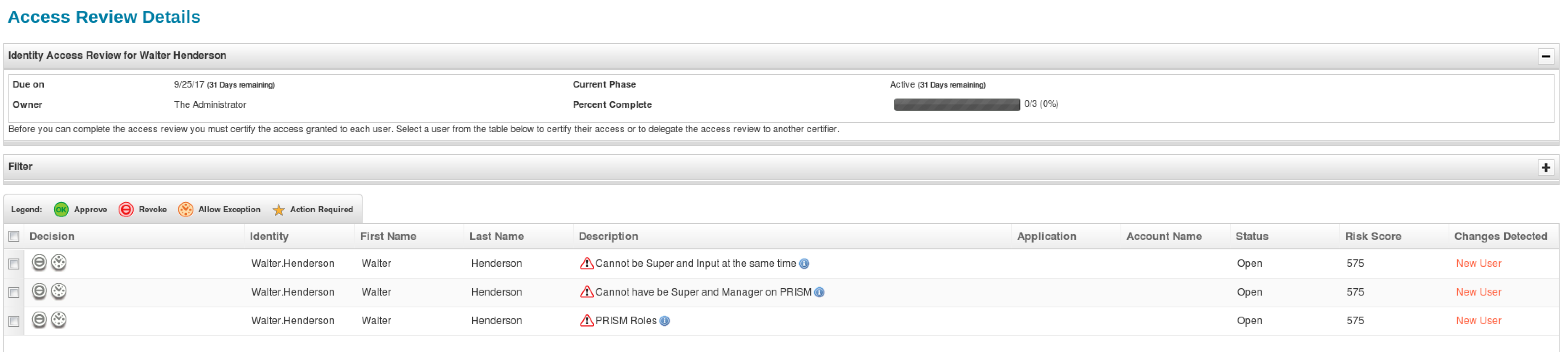
The options show here are to revoke, or to allow an exception. The revocation option is avaialble only to SoD (role/entitlement) violations. If an exception is allowed, the certifier must specify an end date and can enter a comment.
On revocation, a screen is presented to select the items to remove.
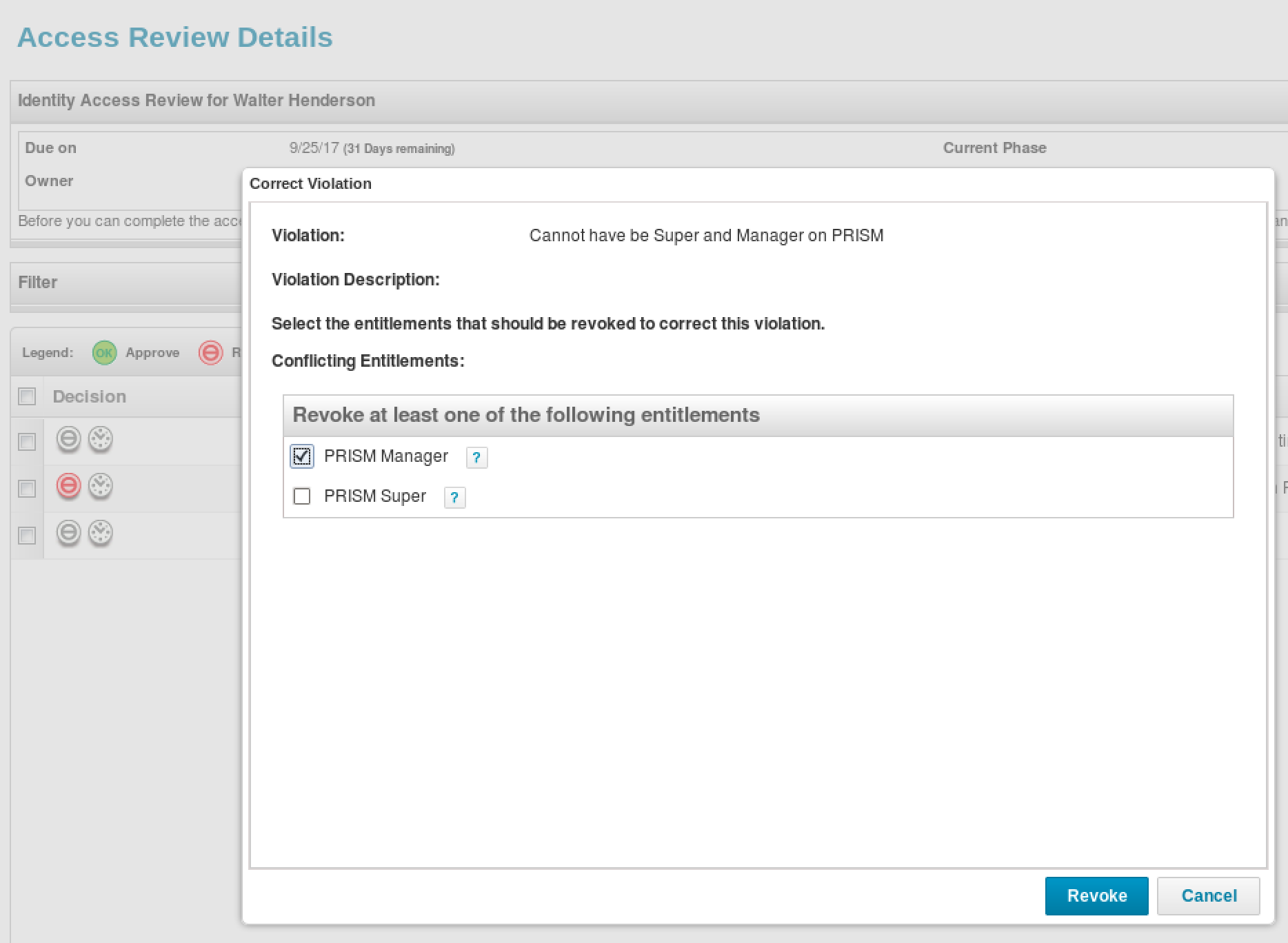
When the Revoke button is clicked, a window will be shown to summarize the decision.
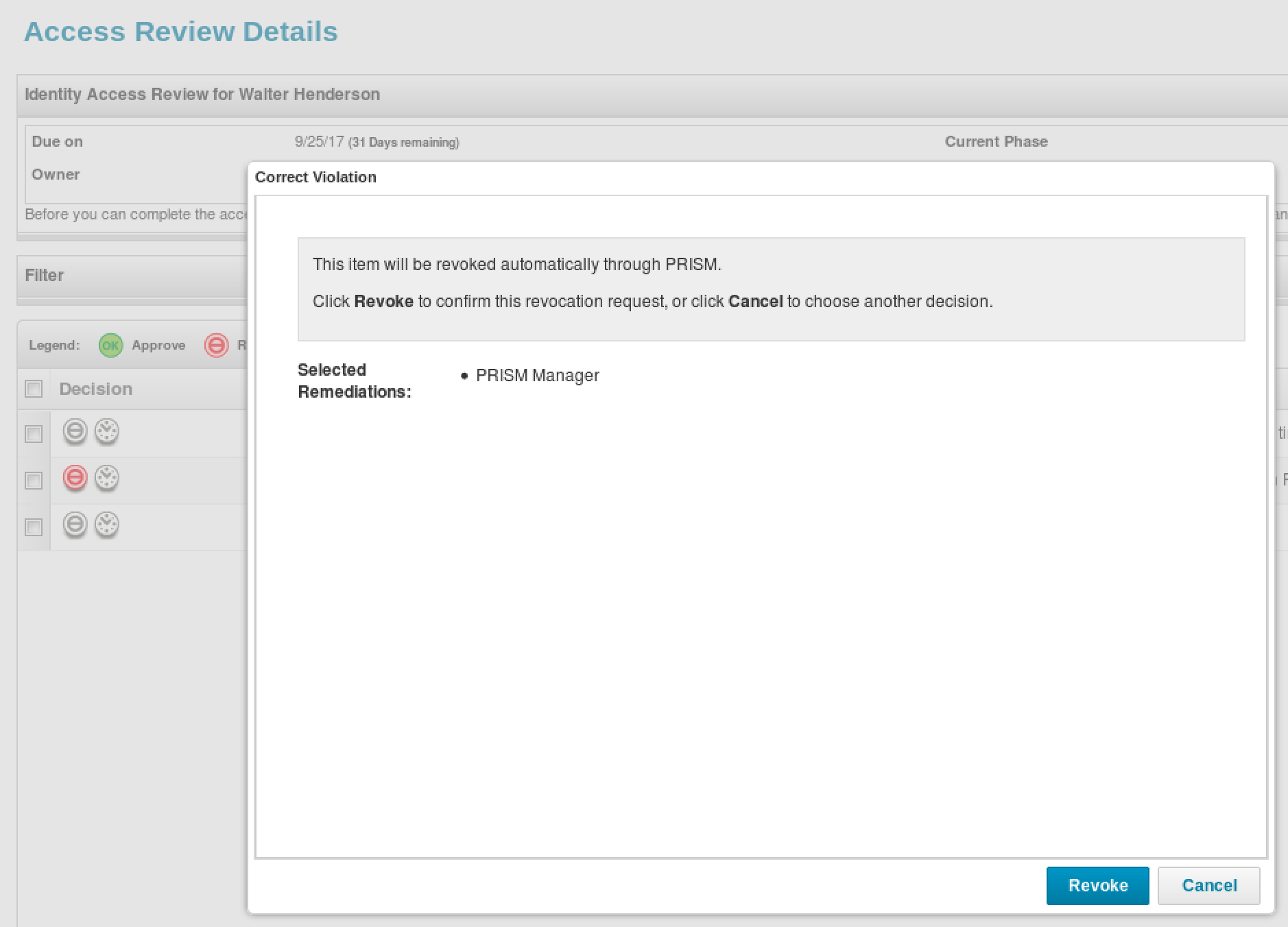
The window can be closed using the Revoke button, after which the decision is marked on the certification.

The decision still needs to be saved. Depending on the options on the certification, whether or not to process revokes immediately, the revocation will either take place immediately when saving the decision, or after the entire certification campaign completes.
Handling a Policy Violation in a Workflow
An alternative way of handling a policy, is using a workflow. The workflow can be configured both at the policy and policy rule level. The file exampleworkflow.xml, include with every IdentityIQ installation under WEB-INF/config, contains a sample workflow for handling policy violations.