
- Products & services Products & services
- Resources ResourcesCustomer resources
- Customer resources
- Customer support Find more information about engaging support and get help
- Services guide Find more information about working with Services teams
- Free resources Leverage our free tools and trainings
- Modernize to Identity Security Cloud Transition to the cloud for advanced capabilities and a future-ready security posture
Learning- Learning
- Identity University Get technical training to ensure a successful implementation
- SailPoint professional certifications & credentials Advance your career or validate your identity security knowledge
- SailPoint recertification program Get recertified by demonstrating ongoing learning
- Training onboarding guide Make of the most of training with our step-by-step guide
- Training FAQs Find answers to common training questions
- Community Community
- Compass
- :
- Discuss
- :
- Community Wiki
- :
- IdentityIQ Wiki
- :
- Alternative administrator accounts
Alternative administrator accounts
Alternative administrator accounts
Introduction
The document IdentityIQ Secure Deployment Guide contains a recommendation to replace the spadmin account with an alternative, non-default, administrator account. The spadmin account will still exist, but should no longer be used and its password should be stored in a safe place for emergency situations.
There are multiple ways to achieve this.
Alternative account
A simple way to create an alternative administrator-account is by adding an identity using an XML document, similar to the standard spadmin-account. It must have a different name and id, or the id must be left empty. It must have the SystemAdministrator capability. To prevent accidental deletion it could be marked as protected. The password can be encrypted using the console, or left empty and filled in later through the user interface.
As an example, one could use the following XML:
<?xml version='1.0' encoding='UTF-8'?>

<!DOCTYPE Identity PUBLIC "sailpoint.dtd" "sailpoint.dtd">

<Identity name="altadmin" password="2:7ShTsZ++2jXLeI857XPMSAQO0Eec3V9eSHaQwFHsNR4=" protected="true">

  <Attributes>

    <Map>

      <entry key="displayName" value="Alternative Administrator"/>

      <entry key="email"/>

      <entry key="firstname" value="Alternative"/>

      <entry key="lastname" value="Administrator"/>

    </Map>

  </Attributes>

  <Capabilities>

    <Reference class="sailpoint.object.Capability" name="SystemAdministrator"/>

  </Capabilities>

</Identity>
Workgroup
Another, more flexible option is to create a workgroup in IdentityIQ and assign the SystemAdministrator capability to that workgroup. Then all the identities that need the SystemAdministrator capability can be added to the workgroup as members.
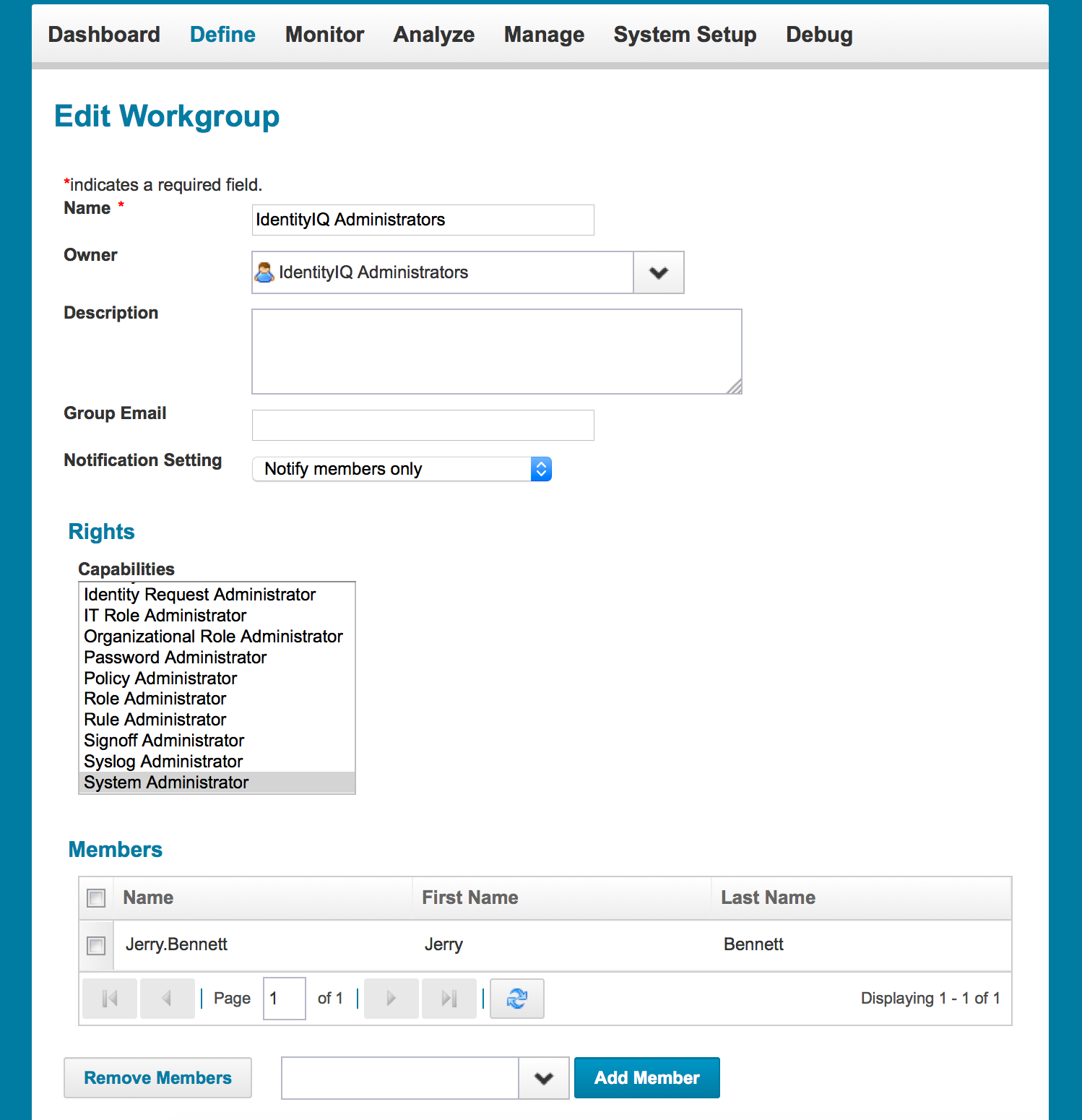
Members of the workgroup will inherit the capabilities assigned to the workgroup.
Role
Yet another option to create alternative administrative accounts is by using roles. By default, none of the available role types can be used to assign capabilities. All out of the box role types have the option "Disallow Granting of IdentityIQ User Rights" enabled. In order to enable assignment of capabilities using role this option must be disabled, either on an existing role type (most likely Entitlement or IT) or a new custom role type.

Once you have configured a role type with the option to grant IdentityIQ capabilities, you can create a new role that grants SystemAdministrator rights to those identities to whom the role has been assigned.
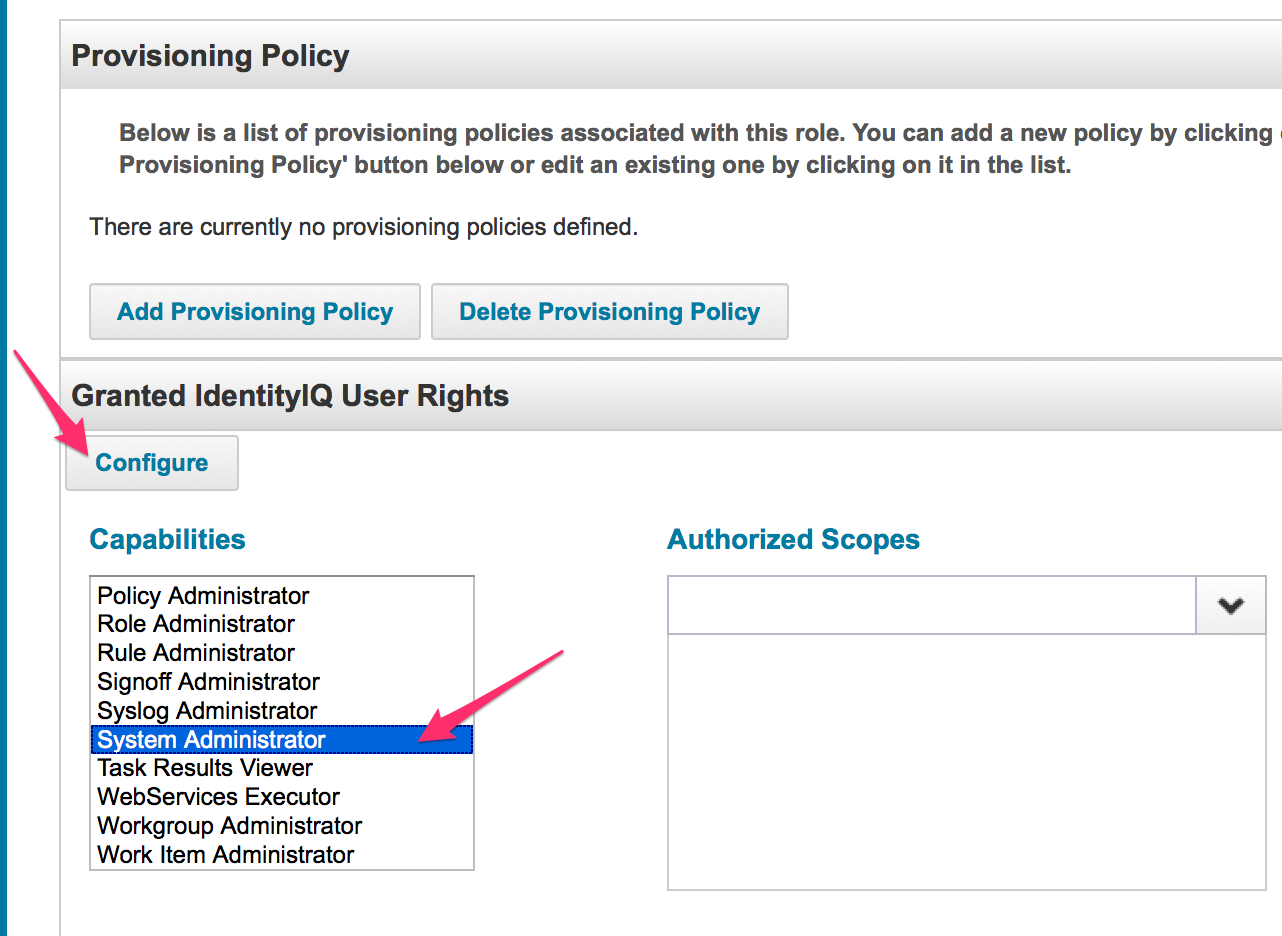
Such a role can be used in standard access request processes or can even be assigned automatically based on for example a job title.

